Agent Settings
Two per-agent settings channels — runtime fields your flow scripts read, and front fields delivered to partner sites.
Two Channels per Agent
Independent channels, one shared editor.
Every agent carries two independent settings channels, each capped at 1,000,000 characters and stored separately from the agent record itself — so agent lists stay light no matter how large the settings grow. Runtime Agent Json Settings are custom fields your flow scripts read at run time through the system/settings resource. Front Agent Settings configure how the agent appears on the partner's site and are delivered to partner sites through the partner API. The two channels are strictly isolated in both directions: partners never see runtime settings, and scripts never see front settings.
Both channels are edited with the same JSONForm editor — a builder of typed field rows that produces a validated JSON array. Consumers only ever receive rows that passed validation. An AI agent working through the Keen MCP server can read and write both channels too — it sends the whole field list at once, and the same 1,000,000-character cap applies.
Agents
The agent record itself — slug, run entry, active flag and lifecycle — lives on its own page.
The Two Channels
- Runtime channel
- Agent Json Settings. Flow scripts receive the valid rows only as a flat
{fieldId: value}map viasystem/settings. Saved on its own page, separately from the agent details. Never delivered to partners. - Front channel
- Front Agent Settings, with the same cap. Partner sites fetch them through the partner API's agent front-settings endpoint, and each partner can only read agents in the spaces its contract includes — tenant isolation is enforced on every fetch. Never exposed to scripts. A front save touches neither the agent record nor the runtime settings.
- The valid stamp
- Every row is stamped
validtrue/false by the editor's validation pass. The stamp is derived output — re-computed on every load, never trusted as input — and consumers skip rows stamped false: your flow scripts never see them, and the reference partner site applies the same rule when it reads front settings — a partner site of your own should do likewise. An operator can save a partially-invalid legacy set without invalid rows ever reaching a script or a partner. - hasSettings
- Agent list responses never carry a settings payload — only
hasSettings: true/false, tracking whether runtime settings exist (front settings are not reflected). The settings themselves travel only through their dedicated settings pages. - Reaching partner sites
- Saving either channel sends no notice to partner sites by itself. A partner site re-reads an agent's front settings when it is woken: on the partner's Api Key page click Rebuild Resource Cache (so the served copy is fresh), then Wake — the notice tells the site to re-fetch its spaces, agents and their front settings through its authenticated API access. Runtime settings never reach partner sites at all.
Field Rows & Types
Both channels store a JSON array of typed rows.
A row is { displayName, fieldId, fieldType, required, value, valid }. The fieldId follows the kebab-case pattern ^[a-z][a-z0-9]*(-[a-z0-9]+)*$ — digits are allowed here, unlike the agent's slug — and must be unique within the set (the first occurrence wins, later duplicates are flagged). displayName needs at least 1 character; required defaults to false.
| Type | Editor widget | Value |
|---|---|---|
input | Single-line text input (the default type) | string |
text | Textarea | string |
richtext | Rich-text editor | string — an untouched <p></p> counts as empty |
number | Number input | number — 0 is a real value |
password | Masked input | string |
boolean | Checkbox | boolean — false is a real value |
array | List of string items | string[] |
Required is type-relative: a required field with a type-relative empty value is an error, but 0 and false pass — only genuinely blank values fail.
Rules & Limits
- Each channel holds at most
1,000,000characters. The limit is enforced end to end — the editor's live counter, the save itself, and storage all agree — so a save the editor accepts is never refused later for size. - An empty string
''is a legitimate save — it clears the settings. KeenAgents distinguishes "agent exists with no settings" from "unknown agent", so clearing never makes the agent look deleted. - The general agent update can never change settings — a request that tries to include them is refused. The Json Settings and Front Settings pages (and the matching tools an AI agent uses through the Keen MCP server) are the only settings writers, so an agent-record edit can never clobber a settings save.
fieldTypemust be one ofinput | text | richtext | number | password | boolean | array; thevaluecarries the matching type.- Deleting an agent deletes both of its settings channels automatically; deleting a space deletes its agents and their settings — no orphaned state, no undo.
- A refused operation answers a general "Not Acceptable" with no detail attached — refusals are deliberately uniform so they never reveal whether a record exists or why it was refused.
Editing in the Admin UI
Both channels share one settings card — same editor, different copy.
The runtime editor lives at /agents/<id>/json-settings, the partner editor at /agents/<id>/front-settings (its card reads "Delivered to partner sites — never exposed to scripts."). Rows render as read-only summaries; all editing happens in two modals.
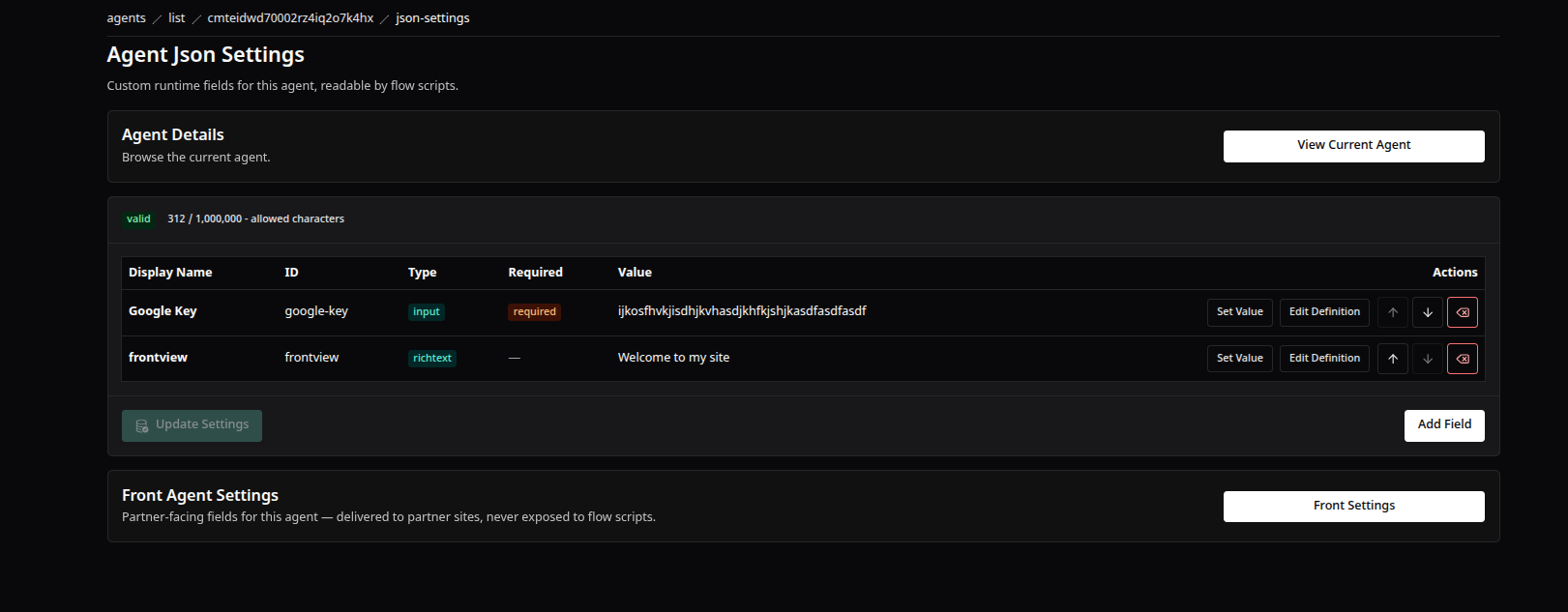
The runtime settings editor — typed field rows your flow scripts read, with a validity badge and a live character counter.
- Add Field (rendered next to Update Settings) opens the Definition modal: Display Name, Field ID, Type, Required. Save stays disabled until valid; the Field ID auto-kebabs as you type and is checked live for uniqueness.
- Set Value opens a value modal whose input widget matches the row's type — a checkbox for boolean, a rich-text editor for richtext, and so on.
- Watch the header badges: a valid/invalid stamp and a live character counter shown as
N / 1,000,000 - allowed characters, which turns red over the limit. - Update Settings is enabled only when the set is valid, under the limit, and actually changed from the load-time baseline. Saves are validated once more before the request leaves the browser; server errors render inline on the card.
- A runtime save takes effect immediately inside the platform: agent lists reflect the new
hasSettingsvalue and scripts read the fresh valid rows throughsystem/settingson their next run. - A front save changes the front channel only — the agent record, the runtime settings and
hasSettingsare untouched. Partner sites pick up the new values after Rebuild → Wake on the partner's Api Key.
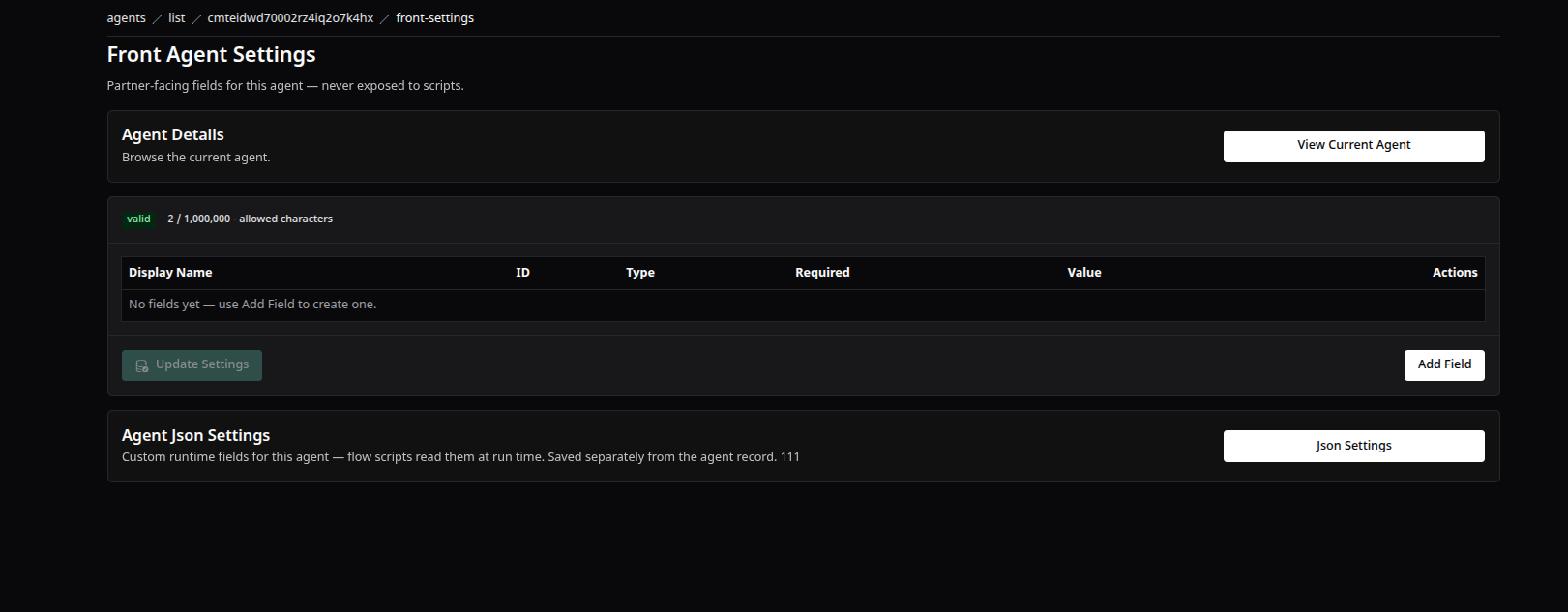
The partner-facing front settings editor — the same field-row builder, delivered to the partner's site.
Good to Know
- A value on the wrong surface is silently invisible to its intended consumer: a runtime field never reaches the partner site, and a front field is unreachable from scripts. Pick the channel by who must read it.
- If a field "isn't showing up" at run time, check its row's
validstamp first — the editor blocks only new violations, so a saved set can carry invalid legacy rows that consumers skip. - A front save changes neither the agent record nor the
hasSettingsflag — and, like every agent change, it reaches partner sites only through Rebuild → Wake on the partner's Api Key. - Renaming the agent's slug carries both settings channels along — nothing is lost — but external callers still pointing at the old slug must be updated by hand.
- If a save is refused at the limit, the counter badge on the settings card shows exactly how far over the
1,000,000-character cap you are. - The two kebab-case rules are similar but not identical: settings field ids allow digits (
^[a-z][a-z0-9]*(-[a-z0-9]+)*$), while the agent's slug forbids them entirely.
Keen Agents 2026
Documentation
Release 15