3. Wire your project to a Space
A Space is the container that owns your Agent(s). Every project on disk is paired with exactly one Space in /org via a token and a space ID. You create the Space now, then copy its code snippets into your project so deploys land in the right place.
3.1 Create an AI Space in /org
A Space is the container that owns your Agent(s) and the local project on disk. One Space = one VS Code project.
-
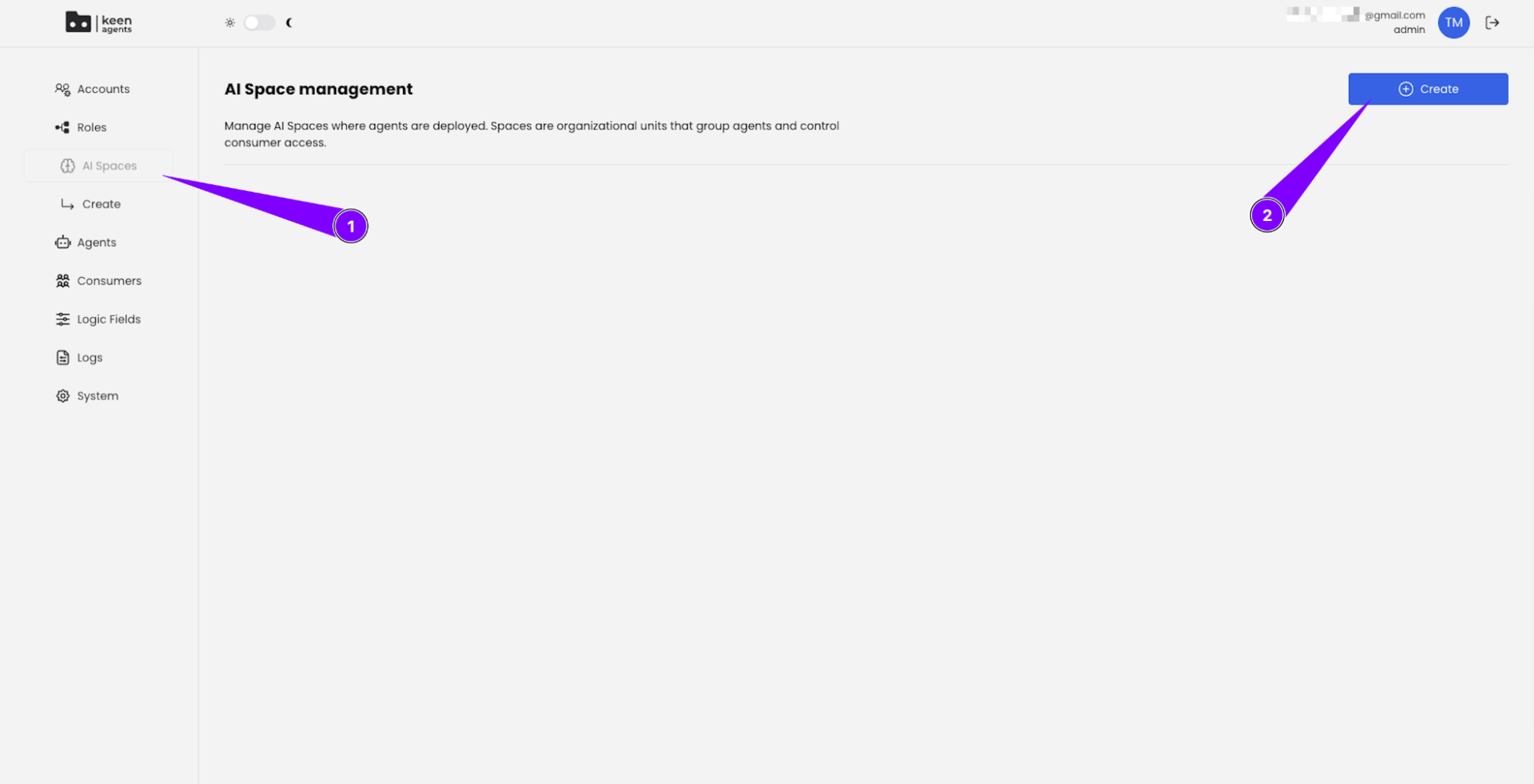
Navigate to AI Spaces in the sidebar (1), then click Create (2):
-
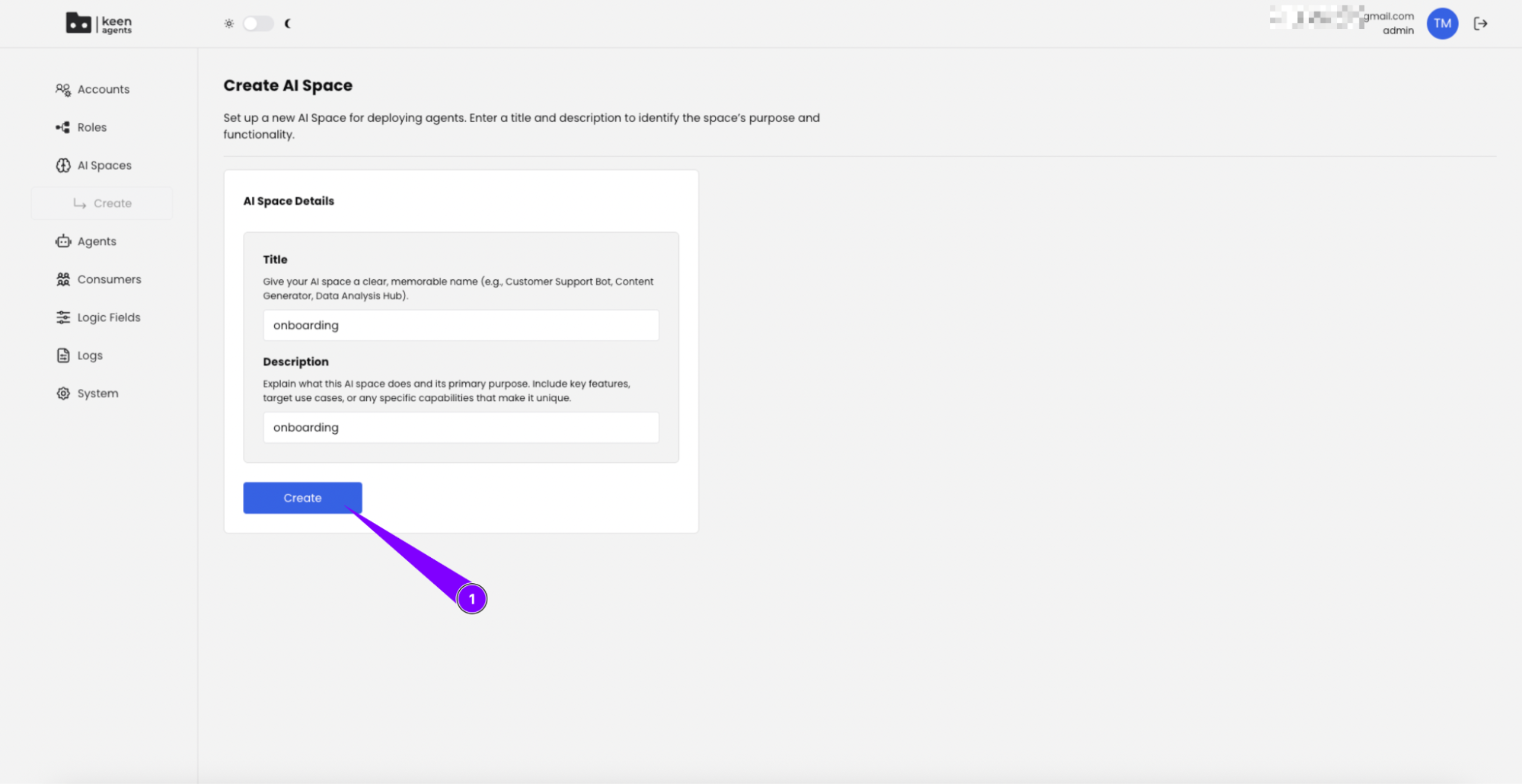
Input a title and description for your AI Space, then click Create:
-
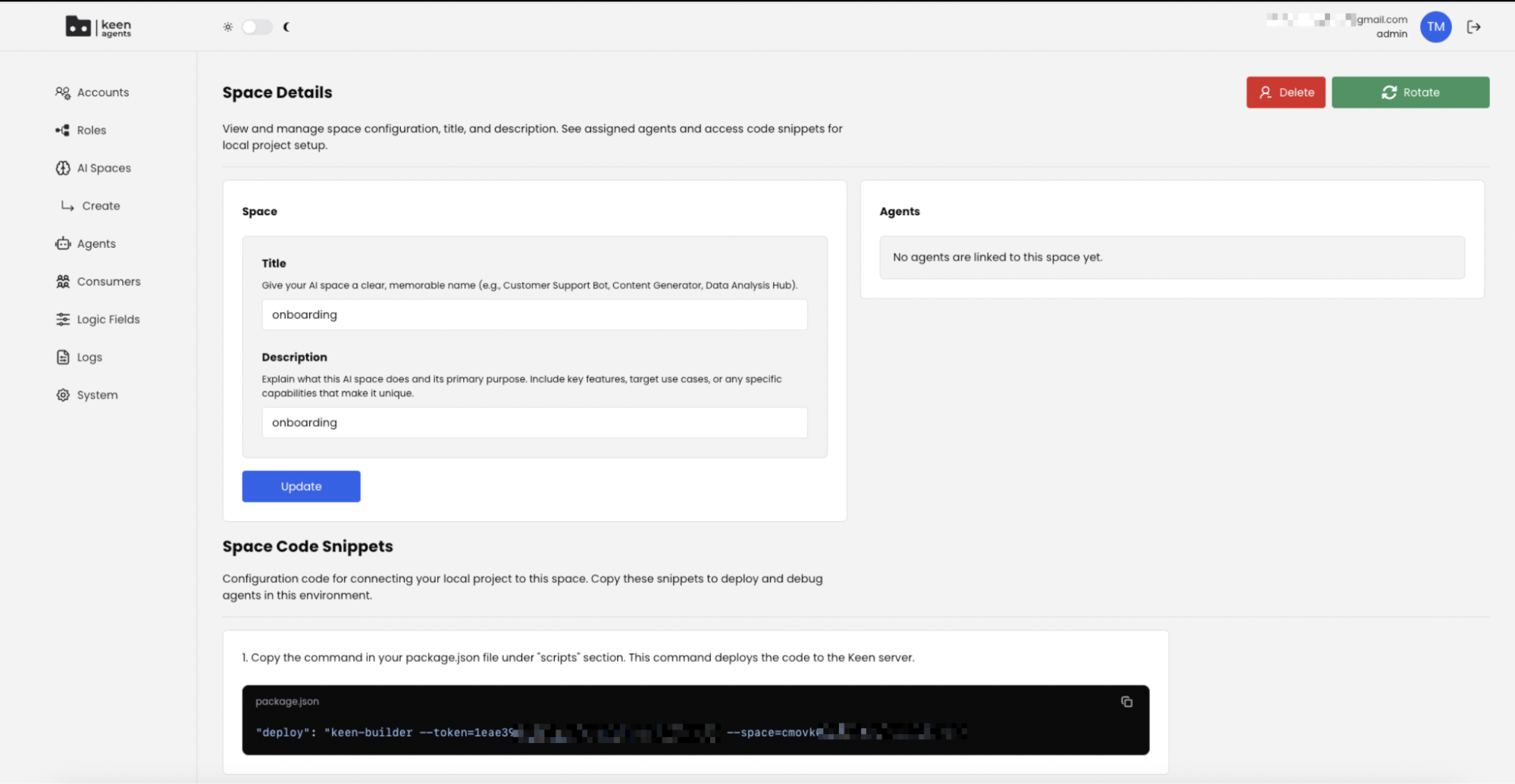
Your Space has been created. You land on the Space edit page, which has three sections — Space (the form you just filled), Agents (empty for now), and Space Code Snippets:
3.2 Paste the Space Code Snippets into your project
Stay on the Space edit page (or scroll down to the Space Code Snippets section). You will copy four snippets into your local project:
package.json— paste the deploy command into the"scripts"block. The token and space ID are pre-filled for your Space.keen.json— create this file at the project root. It tells the CLI where the sandbox lives..vscode/launch.json— paste the debugger attach config. You will need this in section 7.- Anything else listed under Space Code Snippets — paste it where the snippet header tells you to.
Save your files. Your project is now wired to this Space.