2. Set up your local environment
Get your editor ready before you touch /org again. You need three things: the Keen Builder extension, the project files, and npm dependencies.
2.1 Install the Keen Builder VS Code extension
The Keen Builder VS Code extension is what renders .flow.json files as a canvas. It also installs the source-level debuggers you will attach in section 7.
You can grab the extension from the Download VS Code Ext button in /org:
Get the .vsix
Download the Keen Builder .vsix from the Download VS Code Ext button in /org, or ask a Keen Agents team member for the current build. Use the version they point you at — marketplace installs are not supported for this onboarding; manual .vsix only.
Install via drag-and-drop
- In VS Code, open the Extensions panel (
Cmd/Ctrl+Shift+X). - Drag the
keen-builder.vsixfrom Finder/Explorer into the Extensions panel. - Wait for the install confirmation, then reload the window when prompted.
Verify
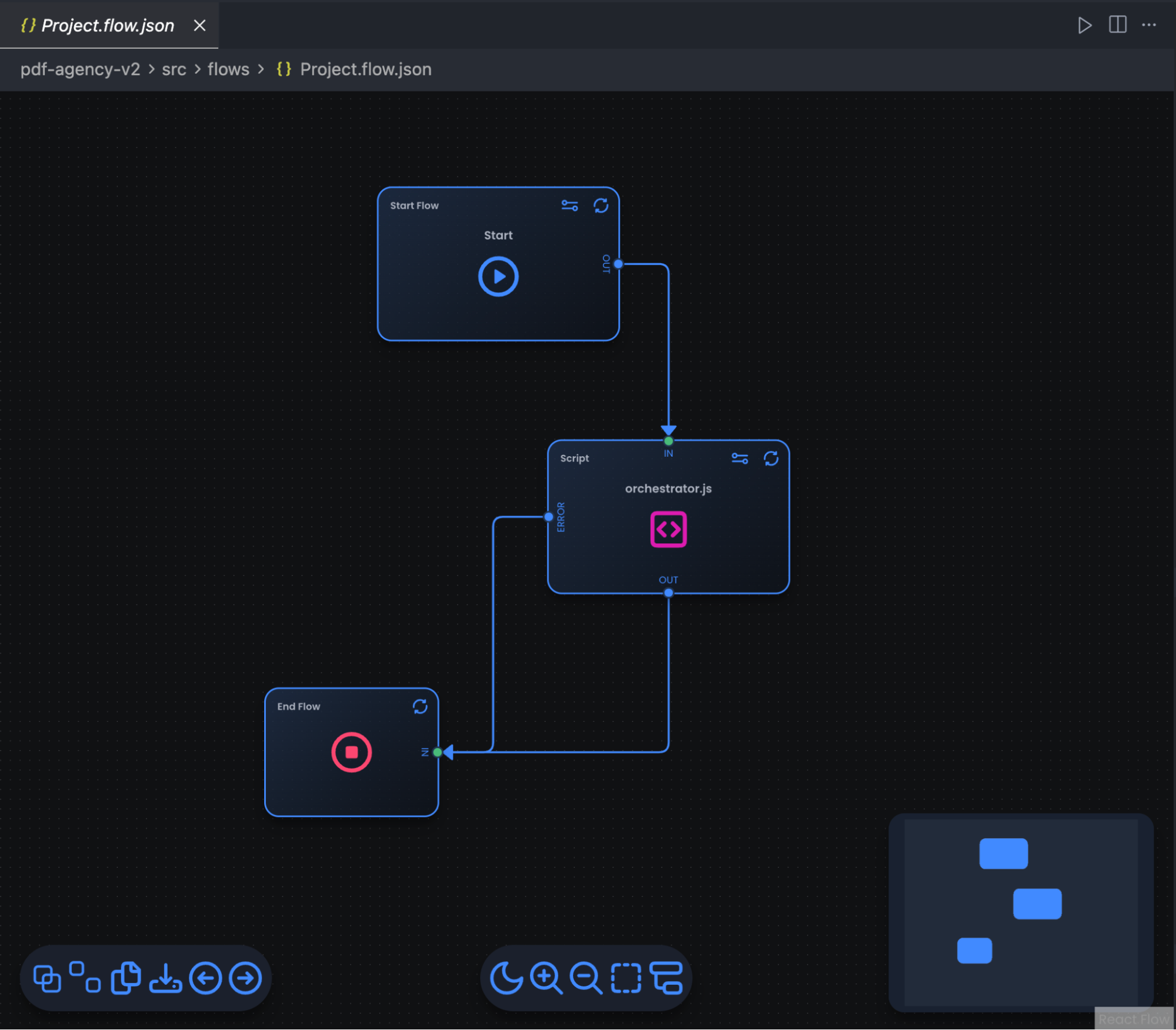
Open any .flow.json file inside src/flows/. It should render as a canvas (visual graph), not as raw JSON. If you see raw JSON, right-click the file → Open With… → Keen Builder.
2.2 Get the project files
Download the initial files from the archive provided by the team. Once unzipped, the project structure looks like this:
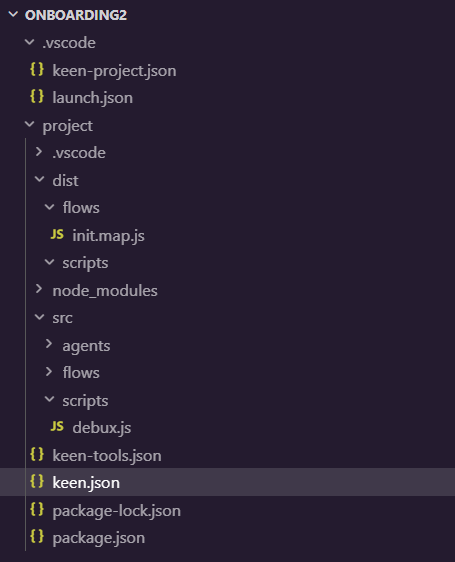
Key root-level files you'll see:
keen.json— the project manifest (keen_server,entry: "src",dist: "dist").package.json— npm dependencies and thedeployscript.src/— your flow and script source (always work here, never indist/).keen-tools.json— the agent-tool registry: an array of{ name, type: "script" | "flow", entry }that Agent nodes reference by name. You only need to touch it once you start registering tools.
2.3 Install dependencies
Run npm install in the project directory:

2.4 Open the project as your workspace root
Open the project folder in your code editor as your root. It has to be the root folder, because some of the extension features that help you read documentation and create files won't work otherwise.
Always work in the
srcfolder, not thedistfolder.